Tools Page Walkthrough
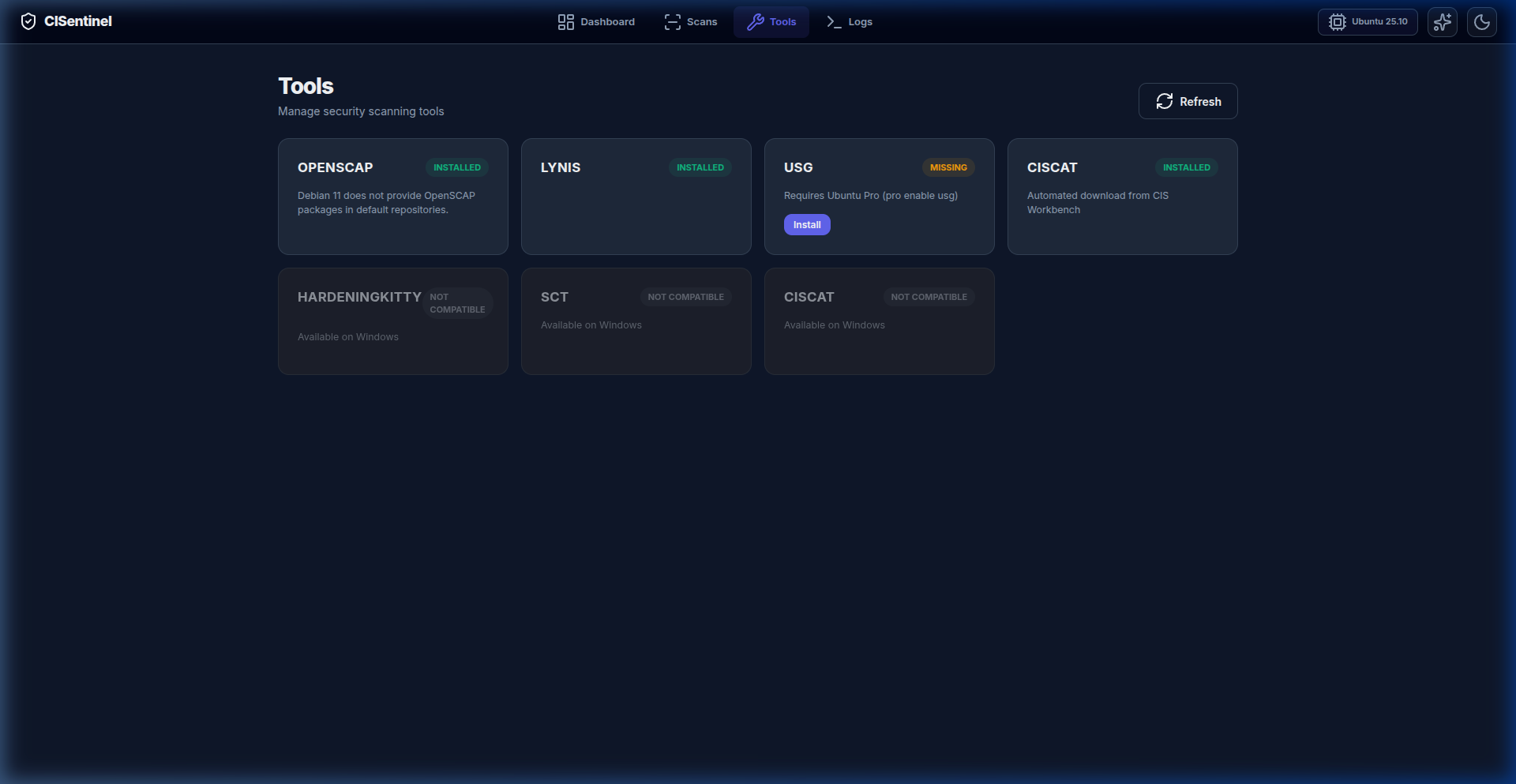
The Tools page provides a visual grid for managing security scanning tools.
Tools Grid
Each tool is displayed as a card showing:
Card Layout
┌─────────────────────┐
│  🔧 Tool Name       │
│                     │
│  Status: Installed  │
│  Platform: Linux    │
│  Notes: ...         │
│                     │
│  [Install] button   │
└─────────────────────┘
Status Colors
| Status | Visual |
|---|---|
| Installed | Green badge |
| Missing | Yellow badge + Install button |
| Incompatible | Red badge + platform info |
Tool Cards
Linux Tools
- OpenSCAP: NIST-certified SCAP scanner
- Lynis: Deep Unix/Linux security auditor
- USG: Ubuntu Security Guide (Ubuntu only)
- CIS-CAT Lite: Official CIS benchmark assessor
Windows Tools
- HardeningKitty: PowerShell hardening framework
- SCT: Microsoft Security Compliance Toolkit
- CIS-CAT Lite: Cross-platform CIS assessor
Installing a Tool
- Find a tool with "Missing" status
- Click the Install button on its card
- A spinner shows while installation proceeds
- The card updates to "Installed" on success
- If installation fails, an error toast appears
Refresh Button
The "Refresh" button in the page header re-checks all tool statuses from the backend.