Doctor Diagnostics Walkthrough
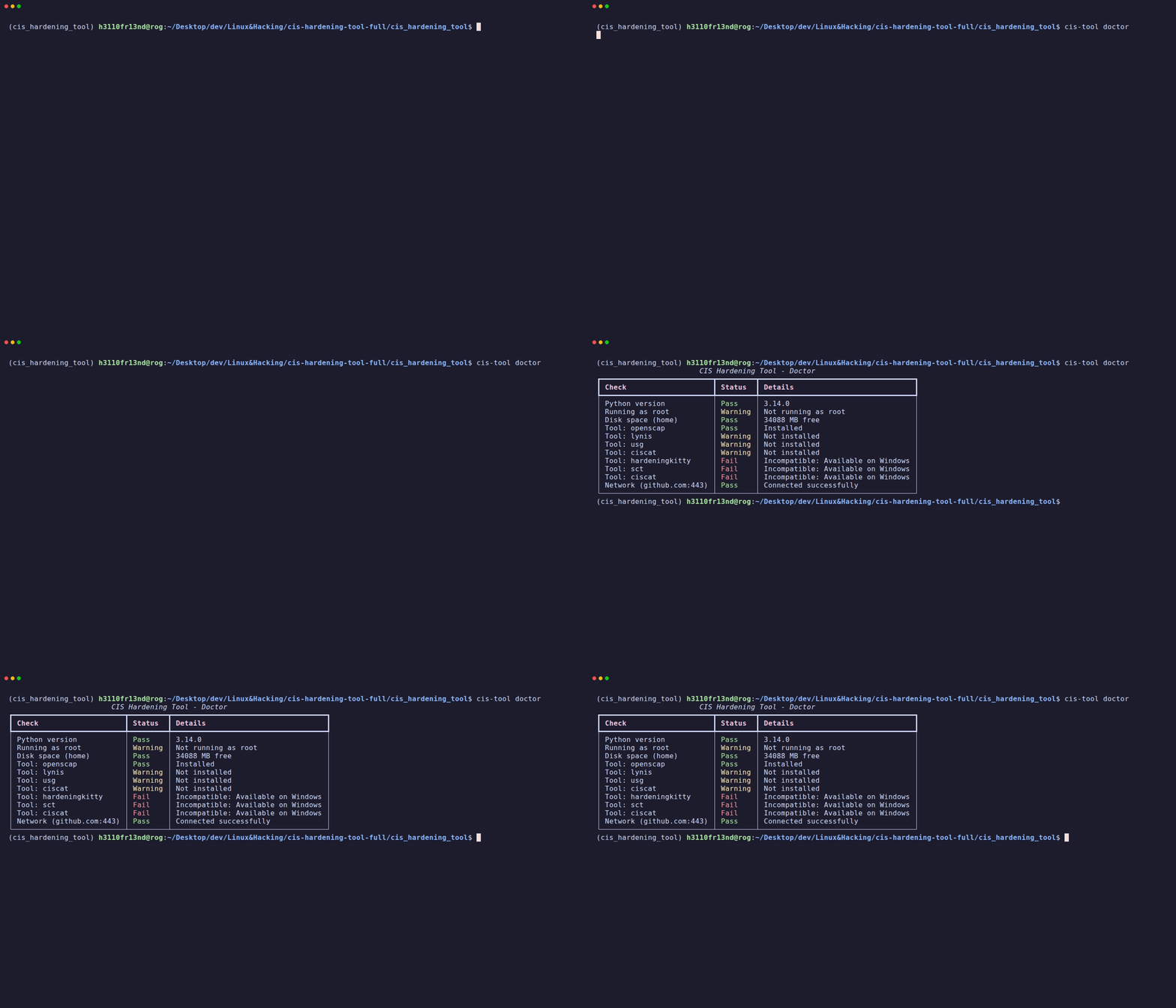
The doctor command runs a comprehensive diagnostic check of the CISentinel environment.
Running Doctor
           CIS Hardening Tool - Doctor
┏━━━━━━━━━━━━━━━━━━━━━━━━━━┳━━━━━━━━━━┳━━━━━━━━━━━━━━━━━━━━━━━━━━━━━━━┓
┃ Check                    ┃ Status   ┃ Details                       ┃
┡━━━━━━━━━━━━━━━━━━━━━━━━━━╇━━━━━━━━━━╇━━━━━━━━━━━━━━━━━━━━━━━━━━━━━━━┩
│ Python version           │ Pass     │ 3.12.3                        │
│ Running as root          │ Pass     │ Running as root               │
│ Disk space (home)        │ Pass     │ 45230 MB free                 │
│ Tool: openscap           │ Pass     │ Installed                     │
│ Tool: lynis              │ Pass     │ Installed                     │
│ Tool: usg                │ Warning  │ Not installed                 │
│ Tool: ciscat             │ Warning  │ Not installed                 │
│ Tool: hardeningkitty     │ Fail     │ Incompatible: Available on    │
│                          │          │ Windows                       │
│ Tool: sct                │ Fail     │ Incompatible: Available on    │
│                          │          │ Windows                       │
│ Network (Download Server) │ Pass     │ Connected successfully        │
└──────────────────────────┴──────────┴───────────────────────────────┘
Checks Performed
| # | Check | What It Verifies |
|---|---|---|
| 1 | Python version | Python ≥ 3.9 is available |
| 2 | Running as root | Elevated privileges (required for scanning) |
| 3 | Disk space | At least 500 MB free in home directory |
| 4 | Tool: \<name> | Each scanning tool's installation status |
| 5 | Network connectivity | Can reach download server (for updates) |
Status Meanings
| Status | Meaning |
|---|---|
| 🟢 Pass | Check passed successfully |
| 🟡 Warning | Non-critical issue (e.g., optional tool not installed) |
| 🔴 Fail | Critical issue (e.g., incompatible OS, no network) |
JSON Output
[
  {
    "check": "Python version",
    "status": "Pass",
    "details": "3.12.3"
  },
  {
    "check": "Running as root",
    "status": "Pass",
    "details": "Running as root"
  },
  {
    "check": "Disk space (home)",
    "status": "Pass",
    "details": "45230 MB free"
  },
  ...
]
Use Cases
- Pre-scan validation: Run before scanning to ensure everything is ready
- Debugging: When scans fail, doctor helps identify environment issues
- CI/CD checks: Use
--jsonoutput to programmatically verify the environment - Support: Share doctor output when reporting issues