AI Features Walkthrough
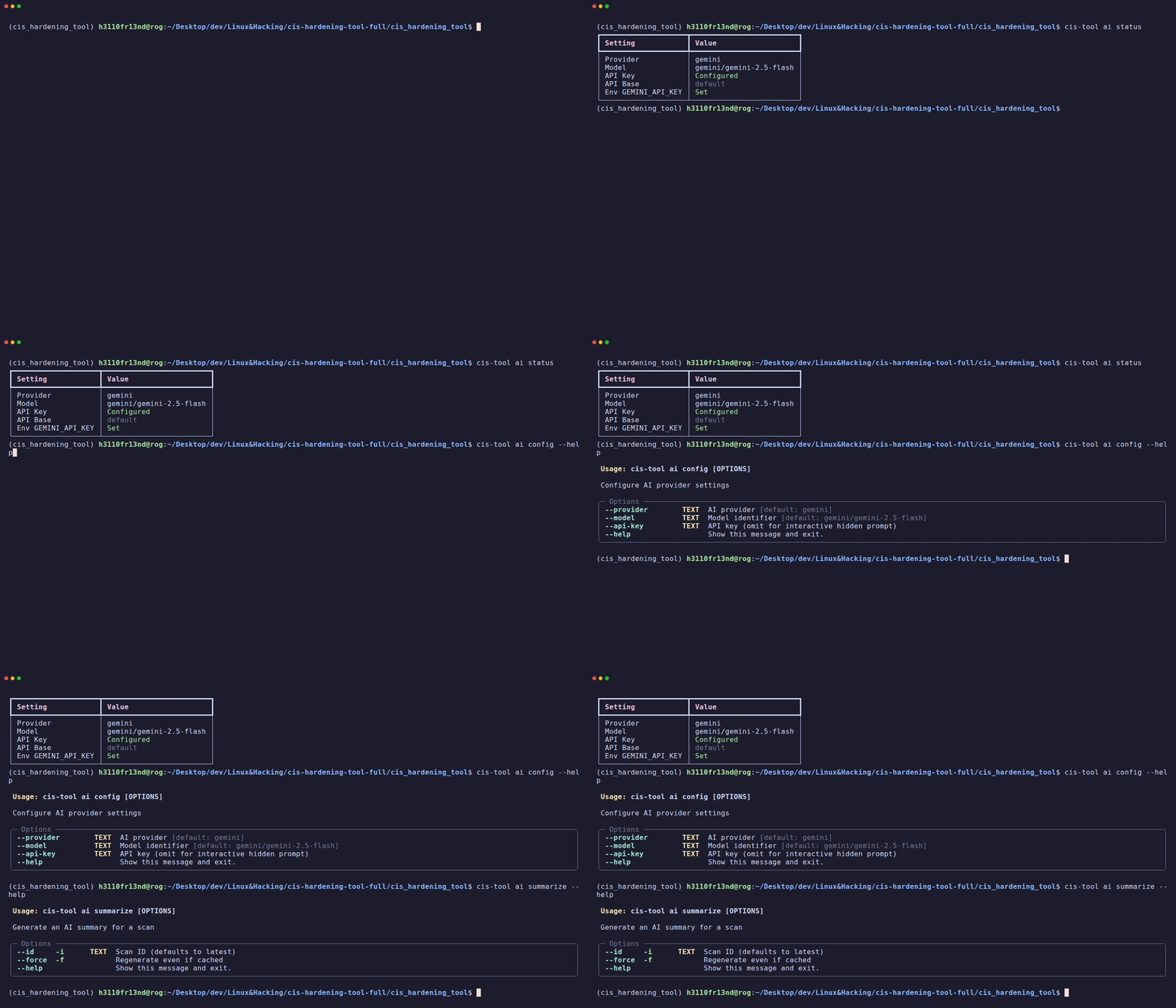
CISentinel integrates AI-powered analysis to provide actionable insights from scan results.
Supported Providers
| Provider | Model Example |
|---|---|
| Google Gemini | gemini/gemini-2.5-flash |
| OpenAI | openai/gpt-4o |
| Anthropic | anthropic/claude-3.5-sonnet |
| Mistral | mistral/mistral-large |
| Groq | groq/llama-3.1-70b |
| Ollama (Local) | ollama/llama3.1 |
Checking AI Status
┏━━━━━━━━━━━━━━━━━━━━━┳━━━━━━━━━━━━━━━━━━━━━━━━━━┓
┃ Setting             ┃ Value                    ┃
┡━━━━━━━━━━━━━━━━━━━━━╇━━━━━━━━━━━━━━━━━━━━━━━━━━┩
│ Provider            │ gemini                   │
│ Model               │ gemini/gemini-2.5-flash  │
│ API Key             │ Configured               │
│ API Base            │ default                  │
│ Env GEMINI_API_KEY  │ Set                      │
└─────────────────────┴──────────────────────────┘
Configuring AI
Via CLI flags
cis-hardening-tool ai config \
  --provider gemini \
  --model gemini/gemini-2.5-flash \
  --api-key YOUR_API_KEY_HERE
Via interactive prompt (hidden input)
Via environment variable
Settings are persisted in the SQLite database and survive restarts.
Generating AI Summary
For a specific scan
For the latest scan
Force regeneration (bypass cache)
Auto-Summary After Scan
When an API key is configured, CISentinel automatically generates an AI summary after every interactive scan:
Generating AI Summary...

╭─────────── AI Insights ───────────╮
│                                    │
│  ## Security Assessment Summary    │
│                                    │
│  **Overall Risk Level: Medium**    │
│                                    │
│  ### Critical Findings (3):        │
│  1. SSH root login enabled         │
│  2. Firewall not configured        │
│  3. Password complexity weak       │
│                                    │
│  ### Recommendations:              │
│  - Disable PermitRootLogin in      │
│    /etc/ssh/sshd_config            │
│  - Enable ufw/iptables firewall    │
│  - Set password complexity via PAM │
│                                    │
╰────────────────────────────────────╯
Caching
AI summaries are cached in the database. Subsequent requests for the same scan return the cached result unless --force is used.
Web GUI AI Configuration
The web dashboard provides an AI settings modal accessible via the ✨ sparkles button in the navbar. Settings configured via CLI are reflected in the GUI and vice versa.