Server Management Walkthrough
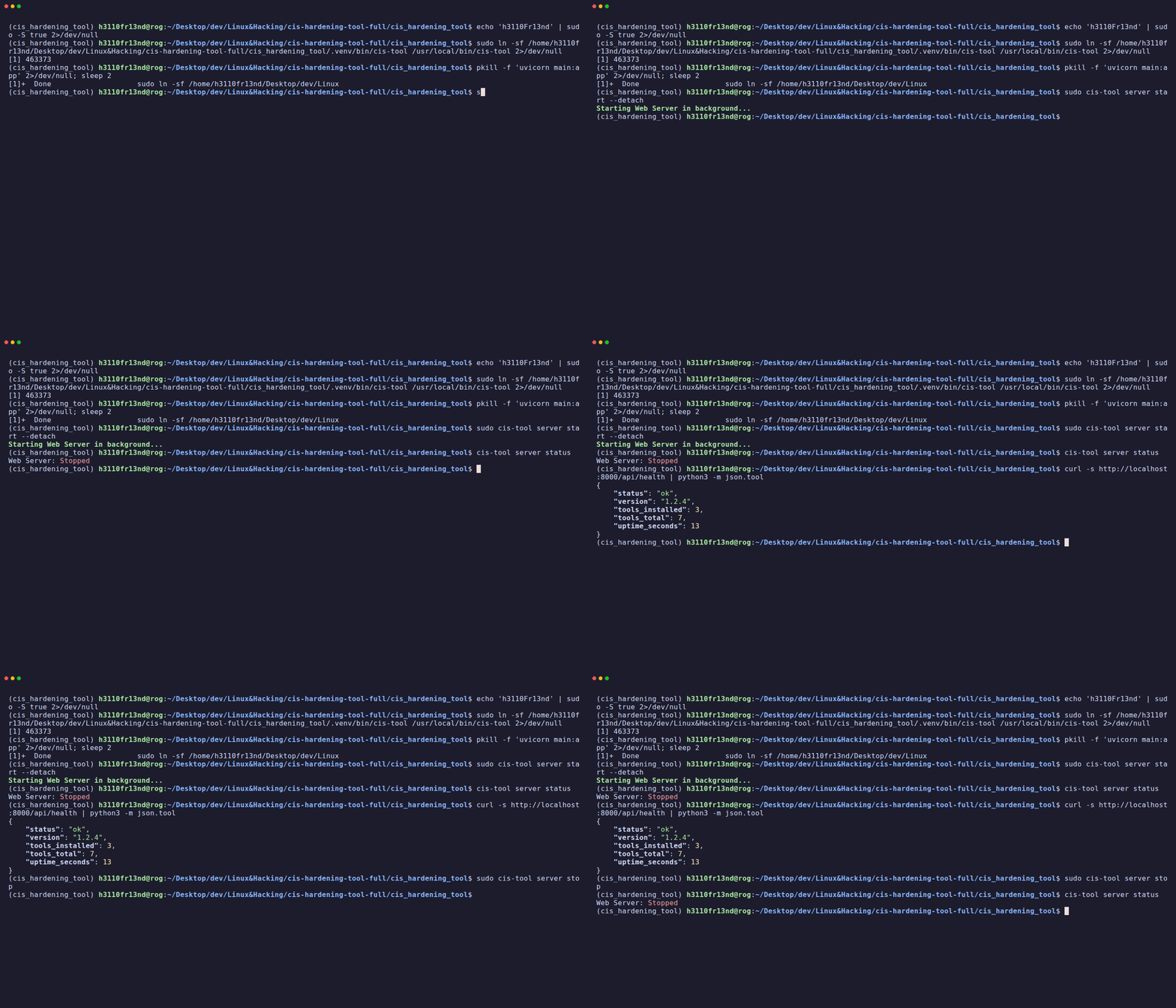
CISentinel includes a built-in FastAPI web server that powers the web GUI dashboard.
Starting the Server
Foreground (blocks terminal)
Background (detached)
The server starts on port 8000 and binds to 0.0.0.0 (accessible from any network interface).
Checking Server Status
Output: Web Server: Running (PID 12345) or Web Server: Stopped
Health Check API
{
    "status": "ok",
    "version": "1.x.x",
    "tools_installed": 3,
    "tools_total": 6,
    "uptime_seconds": 120
}
System Info API
{
    "os_type": "Ubuntu 22.04 LTS",
    "app_name": "CIS Hardening Sentinel",
    "app_subtitle": "Cross-Platform Security Compliance"
}
Viewing Server Logs
Shows real-time log output from the web server, including: - HTTP request logs - WebSocket connection events - Tool status checks
Logs are stored at: ~/.cis-sentinel/logs/web_server_<timestamp>.log
Stopping the Server
Gracefully stops the background web server process.
Server Architecture
┌──────────────────────┐
│   Browser / Client   │
└──────────┬───────────┘
           │ HTTP / WebSocket
┌──────────┴───────────┐
│   FastAPI Server     │
│   (port 8000)        │
├──────────────────────┤
│ Routers:             │
│ ├── /api/scan/*      │
│ ├── /api/report/*    │
│ ├── /api/tools/*     │
│ ├── /api/ai/*        │
│ ├── /api/health      │
│ └── /ws (WebSocket)  │
├──────────────────────┤
│ Frontend (SPA):      │
│ └── / (index.html)   │
└──────────────────────┘
WebSocket Real-Time Updates
The server provides real-time scan progress via WebSocket at /ws: - Initial state (all scans) on connection - Live scan logs as they happen - Scan status updates (started, completed, failed)