Report Export Walkthrough
Sample Report Screenshots
| Executive Summary | AI Insights |
|---|---|
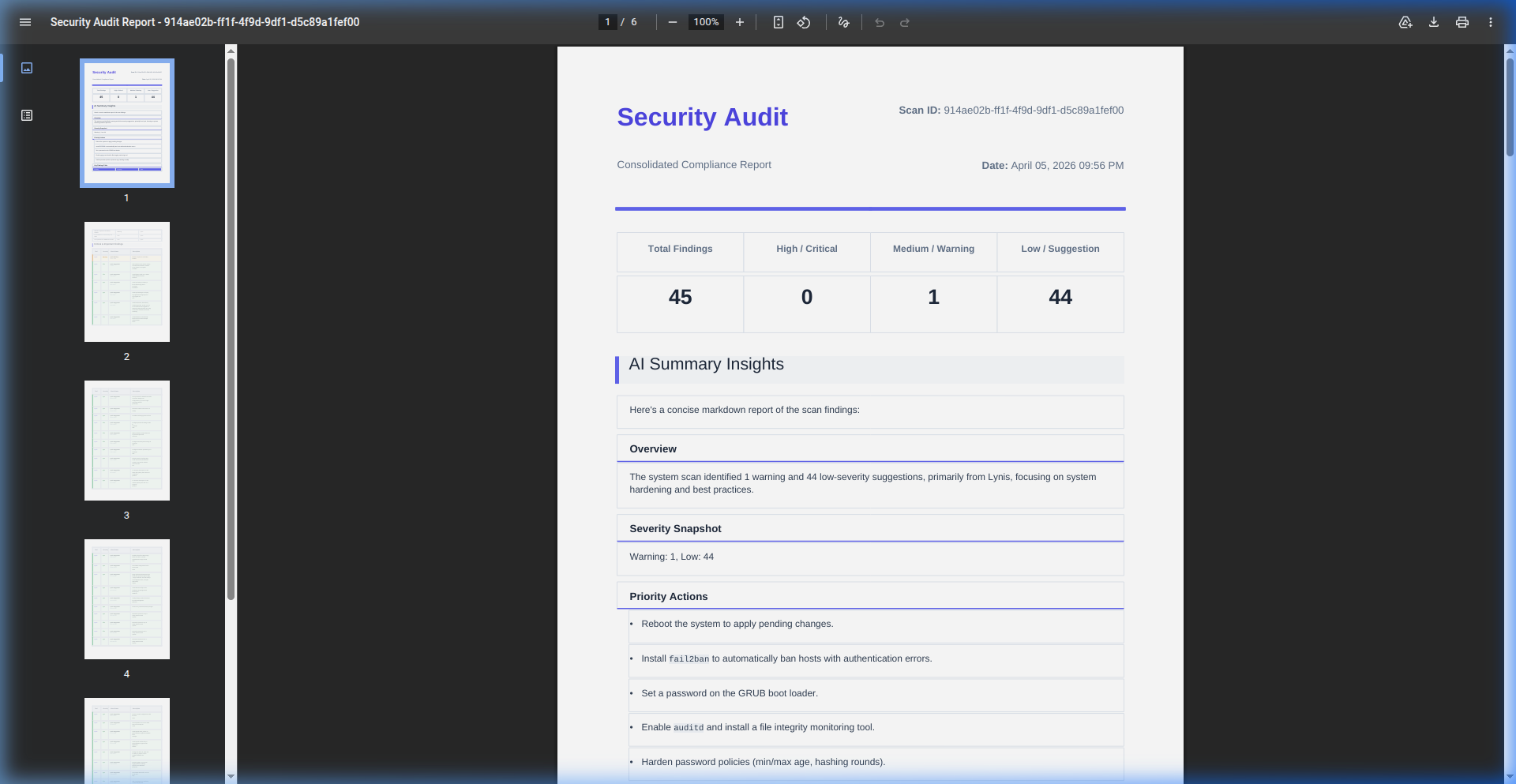 | 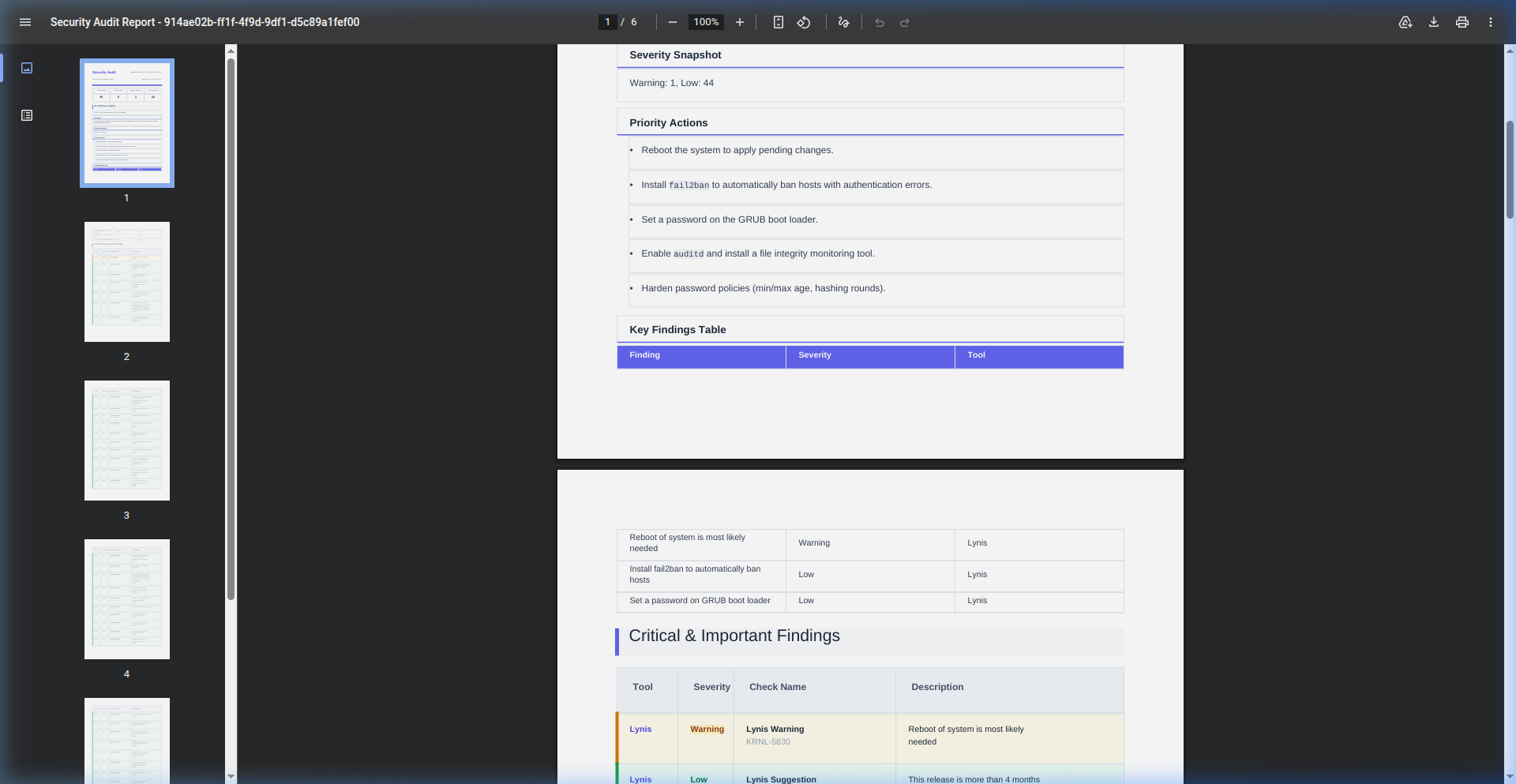 |
CISentinel generates professional compliance reports in PDF and HTML formats, consolidating findings from all scanning tools into a unified document.
Report Format Matrix
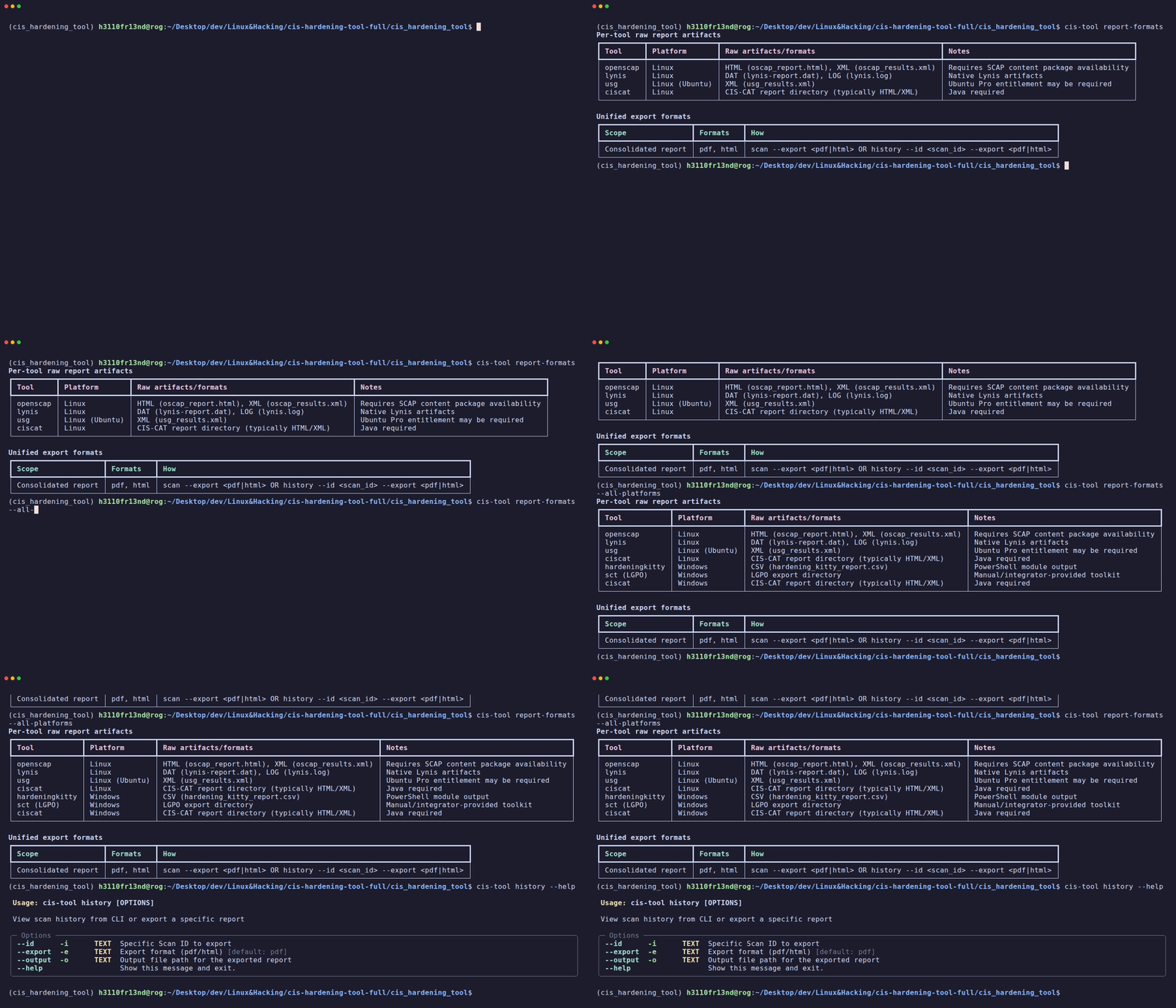
View which formats each tool produces:
# Current platform only
cis-hardening-tool report-formats

# All platforms
cis-hardening-tool report-formats --all-platforms
Per-Tool Raw Artifacts
| Tool | Platform | Raw Formats |
|---|---|---|
| OpenSCAP | Linux | XML (ARF), HTML report |
| Lynis | Linux | .dat log, .log stdout |
| USG | Ubuntu | Text output |
| CIS-CAT | Cross-platform | HTML, CSV, XML |
| HardeningKitty | Windows | CSV, Log |
| SCT | Windows | XML, POL |
Unified Export Formats
| Scope | Formats | How |
|---|---|---|
| Consolidated | PDF, HTML | scan --export <fmt> or history --id <id> --export <fmt> |
Exporting During Scan
# Export PDF immediately after scan
sudo cis-hardening-tool scan \
  --tools lynis,openscap \
  --non-interactive \
  --export pdf \
  --output /tmp/compliance_$(date +%Y%m%d).pdf

# Export HTML
sudo cis-hardening-tool scan \
  --tools lynis \
  --non-interactive \
  --export html \
  --output /tmp/compliance.html
Exporting from History
# Step 1: Find the scan ID
cis-hardening-tool history

# Step 2: Export it
cis-hardening-tool history --id a1b2c3d4 --export pdf --output archived_report.pdf
Report Contents
The consolidated report includes:
- Header: Scan metadata (ID, timestamp, OS, duration)
- Executive Summary: Overall pass/fail statistics
- Per-Tool Sections: Detailed findings per scanning engine
- Severity Distribution: Color-coded severity breakdown
- 🔴 Critical (dark background)
- 🟠 High
- 🟡 Medium / Warning
- 🟢 Low
- ⚪ Informational
- AI Summary (if available): AI-generated insights and recommendations
PDF Report Styling
Reports use severity-based background colors for visual distinction: - Critical: Dark red background - High: Orange-red background - Warning: Amber background - Medium: Light yellow background - Low: Light green background
The HTML template is powered by Jinja2 and rendered to PDF using WeasyPrint/xhtml2pdf.