History & Findings Walkthrough
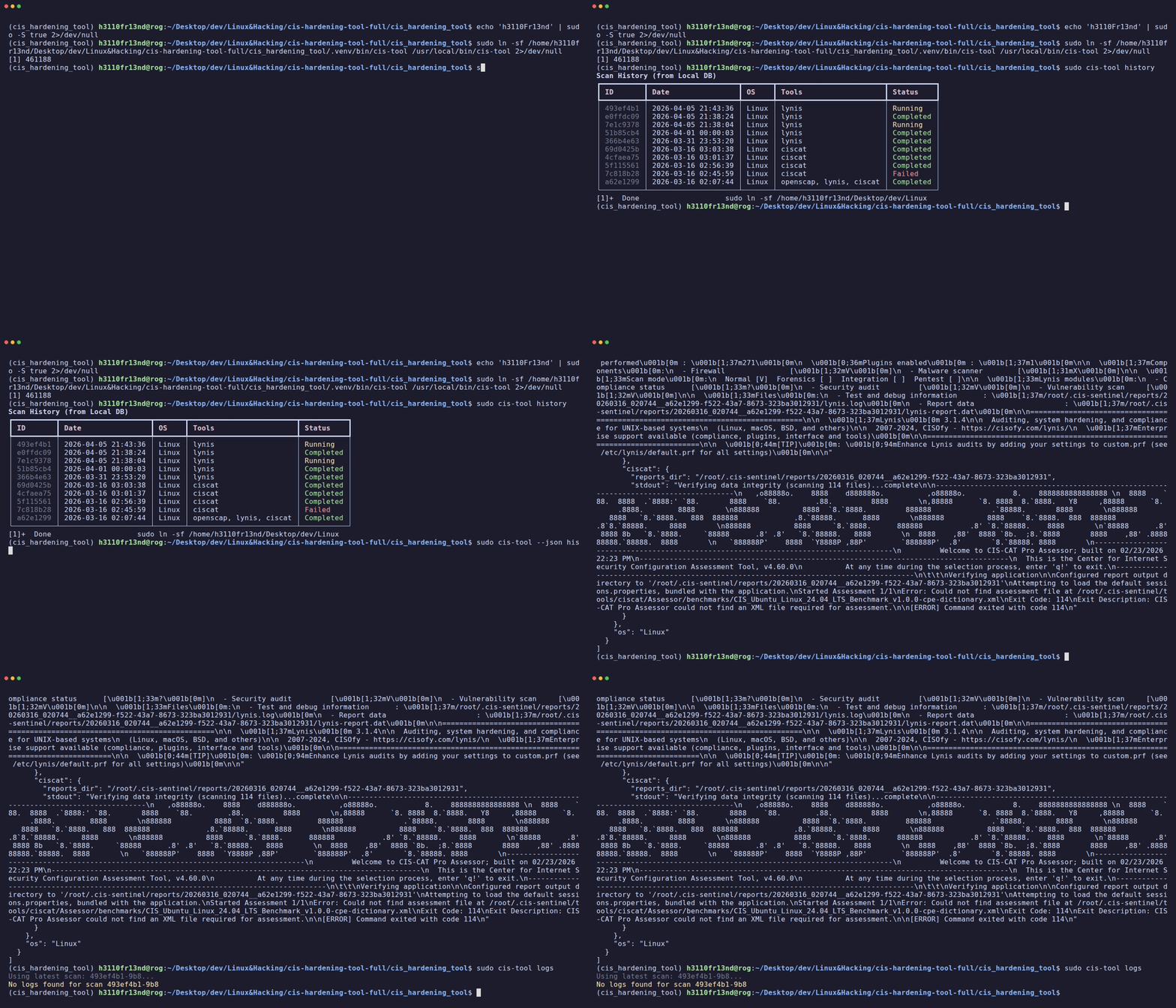
CISentinel persists all scan results in a local SQLite database, allowing historical review and export.
Viewing Scan History
Interactive (via menu)
Displays a table of all past scans with selectable entries for detailed findings.
CLI (non-interactive)
┏━━━━━━━━━━━━━━━━━━━┳━━━━━━━━━━━━┳━━━━━━━━━━━━┳━━━━━━━━━━━━━━━━━━━━━━━━━━┓
┃ Scan ID           ┃ Status     ┃ Duration   ┃ Tools                    ┃
┡━━━━━━━━━━━━━━━━━━━╇━━━━━━━━━━━━╇━━━━━━━━━━━━╇━━━━━━━━━━━━━━━━━━━━━━━━━━┩
│ a1b2c3d4-...      │ Completed  │ 45s        │ lynis, openscap          │
│ e5f6g7h8-...      │ Completed  │ 120s       │ lynis, openscap, ciscat  │
│ i9j0k1l2-...      │ Failed     │ 5s         │ usg                      │
└───────────────────┴────────────┴────────────┴──────────────────────────┘
JSON Output
Viewing Findings for a Scan
Displays parsed findings from the selected scan, including: - Rule IDs - Severity levels - Pass/fail status - Remediation details (when available)
JSON findings
Exporting a Historical Report
Export a previously completed scan as PDF or HTML:
# Export as PDF
cis-hardening-tool history --id a1b2c3d4 --export pdf --output compliance_report.pdf

# Export as HTML
cis-hardening-tool history --id a1b2c3d4 --export html --output compliance_report.html
Viewing Scan Logs
Latest scan logs
Specific scan logs
Filter by tool
Limit entries
Log output format
Logs are color-coded by tool:
15:23:01 [OPENSCAP] Starting XCCDF evaluation...
15:23:05 [OPENSCAP] Using content: ssg-ubuntu2204-ds.xml
15:23:45 [LYNIS]    Initializing program
15:23:46 [LYNIS]    System scan started
15:24:01 [LYNIS]    Hardening index: 72/100
| Tool | Color |
|---|---|
| OpenSCAP | Yellow |
| Lynis | Cyan |
| CIS-CAT | Green |
| USG | Blue |
| HardeningKitty | Magenta |
| SCT | Red |
Database Location
The SQLite database is stored at: - Linux: ~/.cis-sentinel/cis_history.db - Windows: %LOCALAPPDATA%\cis-sentinel\cis_history.db