Tool Management Walkthrough
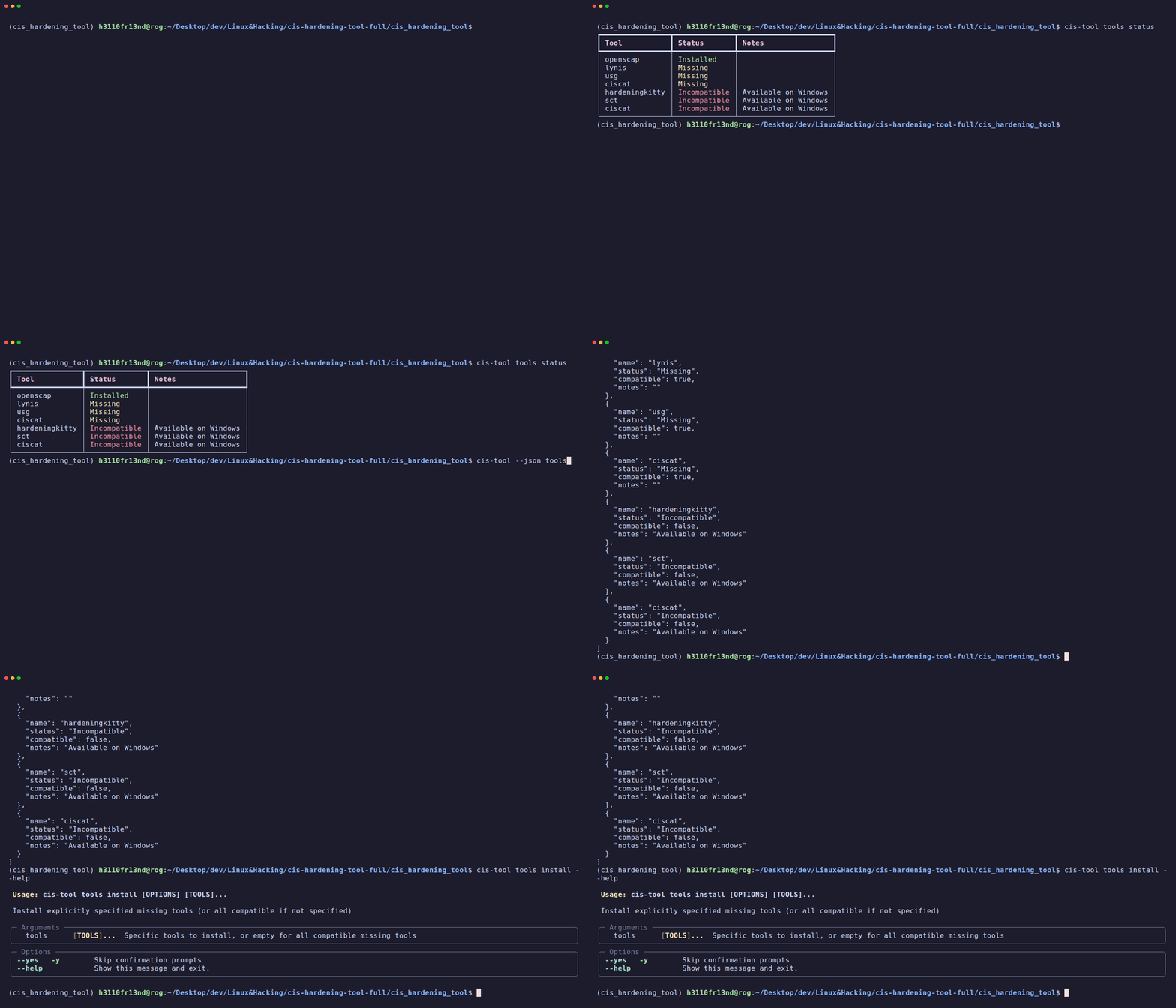
CISentinel manages the discovery, installation, and verification of security scanning tools across platforms.
Checking Tool Status
Rich Table Output (default)
┏━━━━━━━━━━━━━━━━━┳━━━━━━━━━━━━━━━━┳━━━━━━━━━━━━━━━━━━━━━━━━━━━━━┓
┃ Tool            ┃ Status         ┃ Notes                       ┃
┡━━━━━━━━━━━━━━━━━╇━━━━━━━━━━━━━━━━╇━━━━━━━━━━━━━━━━━━━━━━━━━━━━━┩
│ openscap        │ Installed      │                             │
│ lynis           │ Installed      │                             │
│ usg             │ Missing        │ Requires Ubuntu Pro         │
│ ciscat          │ Missing        │ Automated download from CIS │
│ hardeningkitty  │ Incompatible   │ Available on Windows        │
│ sct             │ Incompatible   │ Available on Windows        │
└─────────────────┴────────────────┴─────────────────────────────┘
JSON Output (for scripting)
[
  {"name": "openscap", "status": "Installed", "compatible": true, "notes": ""},
  {"name": "lynis", "status": "Installed", "compatible": true, "notes": ""},
  {"name": "usg", "status": "Missing", "compatible": true, "notes": ""},
  {"name": "ciscat", "status": "Missing", "compatible": true, "notes": ""},
  {"name": "hardeningkitty", "status": "Incompatible", "compatible": false, "notes": "Available on Windows"},
  {"name": "sct", "status": "Incompatible", "compatible": false, "notes": "Available on Windows"}
]
Installing Tools
Install all missing compatible tools
Install specific tools
Without --yes (interactive confirmation)
How Tool Installation Works
CISentinel's ToolManager automatically:
- Detects the OS family (Debian, Red Hat, SUSE, Windows)
- Selects the right package manager (
apt,dnf,yum,zypper,winget) - Resolves distro-specific package names (e.g.,
openscap-scanneron Ubuntu vsopenscap-utilson Debian 12) - Downloads from URLs for tools not in repos (CIS-CAT Lite, HardeningKitty)
- Verifies functional installation (not just file existence — actually runs verification commands)
Package Manager Support
| Package Manager | Used For |
|---|---|
apt-get | Ubuntu, Debian, Kali |
dnf / yum | AlmaLinux, RHEL, CentOS, Fedora |
zypper | openSUSE |
apk | Alpine |
pacman | Arch |
winget / choco | Windows |
Distro-Specific Package Mappings
The tool maintains version-specific package name mappings. For example, OpenSCAP:
| Distro | Packages |
|---|---|
| Ubuntu 18.04 | openscap-scanner, openscap-utils, libopenscap8, ssg-base, ssg-debderived |
| Ubuntu 24.04 | openscap-scanner, openscap-utils, ssg-base, ssg-debderived |
| Debian 12 | openscap-utils, ssg-debderived, ssg-debian |
| AlmaLinux 9 | openscap-scanner, scap-security-guide |
| Debian 11 | (skipped — packages unavailable in default repos) |
Supported Tools
Linux Tools
| Tool | Binary | Installation |
|---|---|---|
| OpenSCAP | oscap | Package manager |
| Lynis | lynis | Package manager |
| USG | usg | Package manager (Ubuntu only) |
| CIS-CAT Lite | Assessor-CLI.sh | Downloaded ZIP + Java |
Windows Tools
| Tool | File | Installation |
|---|---|---|
| HardeningKitty | HardeningKitty.psm1 | Downloaded from GitHub |
| SCT | SCT/LGPO.exe | Manual download |
| CIS-CAT Lite | Assessor-CLI.bat | Downloaded ZIP |