Non-Interactive Mode Walkthrough
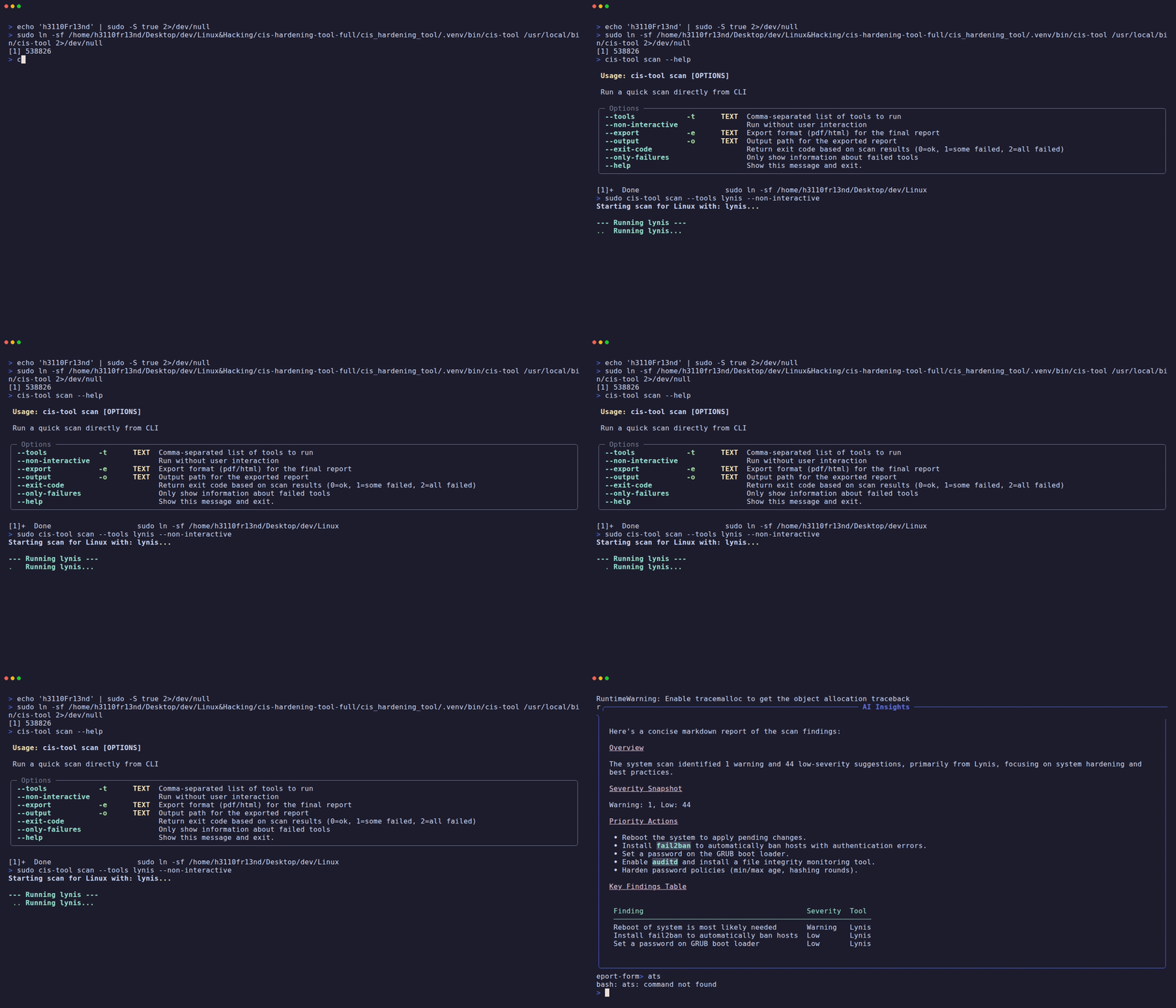
Non-interactive mode is designed for CI/CD pipelines, automated testing, and scripted operations where no human interaction is required.
Core Flags
| Flag | Short | Description |
|---|---|---|
--non-interactive | Run scan without user prompts | |
--tools | -t | Comma-separated list of tools to run |
--export | -e | Export format: pdf or html |
--output | -o | Output file path for exported report |
--exit-code | Return exit code based on results | |
--json | JSON output instead of Rich tables | |
--quiet | -q | Suppress all output except errors |
--verbose | Show full tool output (no truncation) | |
--only-failures | Only show failed tool results |
Examples
Basic non-interactive scan
Scan with PDF report export
sudo cis-hardening-tool scan \
  --tools lynis,openscap \
  --non-interactive \
  --export pdf \
  --output /tmp/compliance_report.pdf
CI/CD pipeline with exit codes
# Returns:
#   0 = all tools passed
#   1 = some tools failed
#   2 = all tools failed
sudo cis-hardening-tool scan \
  --tools lynis \
  --non-interactive \
  --exit-code

echo "Exit code: $?"
JSON output for programmatic consumption
Output:
Quiet mode (errors only)
sudo cis-hardening-tool --quiet scan \
  --tools lynis \
  --non-interactive \
  --export pdf \
  --output report.pdf
Show only failures
Using in Scripts
#!/bin/bash
# Daily compliance scan script
set -e

REPORT_DIR="/var/reports/cis"
DATE=$(date +%Y-%m-%d)
REPORT="$REPORT_DIR/scan_${DATE}.pdf"

mkdir -p "$REPORT_DIR"

sudo cis-hardening-tool scan \
  --tools lynis,openscap \
  --non-interactive \
  --export pdf \
  --output "$REPORT" \
  --exit-code

if [ $? -ne 0 ]; then
  echo "ALERT: Compliance scan detected issues!"
  # Trigger alert, email, webhook, etc.
fi